An online HVAC quote starts with your offer. Before installing a form, decide which equipment you want to show, what the installed price includes, and who responds when a homeowner chooses an option. The software should make that process clear to both sides.
This guide describes a DinoQuote setup. It is a homeowner-facing estimate, not a load calculation, a final installation proposal, or a replacement for your CRM. Try the live quoting walkthrough to see the experience before planning your own.
1. Prepare the equipment and installed prices
Start with a manageable set of products your company actually installs. For each option, prepare the equipment name, product image, warranty description you can substantiate, and installed price. Decide which jobs fit a standard estimate and which need a conversation first.
- Map the products into good, better, and best choices.
- Write down what each price includes and which site conditions can change it.
- Assign someone to approve pricing and future equipment changes.
If you use an HVAC price book to cost service and maintenance work, keep that costing process separate from the installation options shown to a homeowner. Your office still owns the final scope.
2. Choose the questions that help your office
Walk through the homeowner journey with your team. Decide which system and home details are useful for the first conversation and which questions belong in a site visit. Review the contact information and selected equipment your office will receive.
On the live DinoQuote example, the homeowner explores system choices and sees three priced options. Your configuration is agreed during setup; do not assume that every unusual installation can be priced automatically.
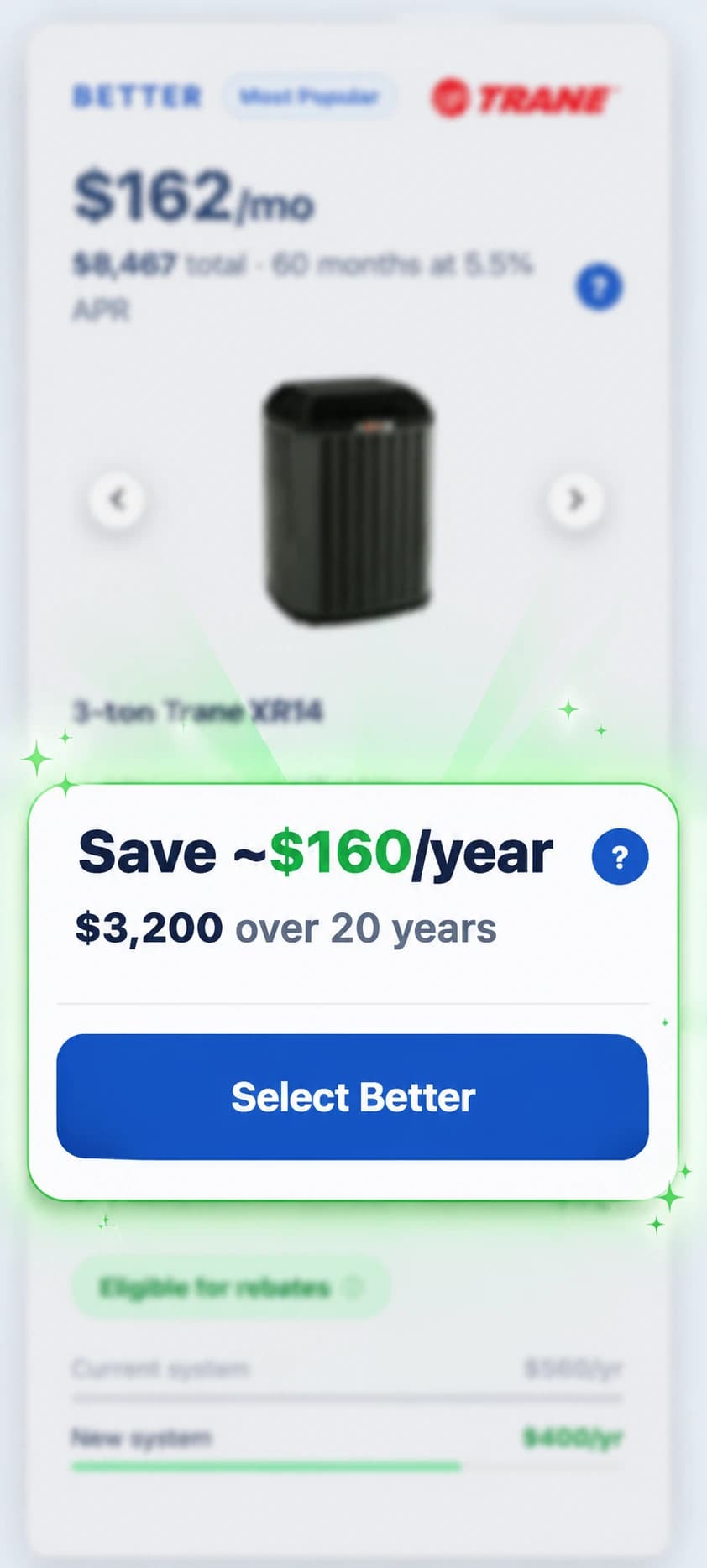
3. Review the financing display
Provide the financing information your company is authorized to use. Check the displayed monthly figures, assumptions, disclosures, and relationship to the installed price. Confirm the offer with your financing provider before launch rather than copying another contractor’s payment example.
Estimated operating-cost comparisons should also be reviewed with the team. Treat them as estimates based on the configured inputs, not guaranteed savings for every home.
4. Add the experience to your existing website
DinoQuote’s team handles the agreed website work and configures the quote around your equipment, pricing, colors, and logo. Confirm who can approve access, which page hosts the quote, and where homeowners will find it from your homepage and service pages.
Keep a clear page address and a visible route to your normal contact process. Test the quote within the actual website layout, including the navigation and footer, instead of approving only an isolated form preview.
5. Agree on the lead handoff
A completed quote records the homeowner details, answers, and selected option for your team. Decide who checks new inquiries, who gets notifications, and what happens outside office hours. Test those settings with the people who will use them.
DinoQuote does not replace dispatch, invoicing, or your CRM. Verify any requested connection explicitly; do not assume an automatic CRM sync. Our CRM handoff guide covers the questions to ask, and the ServiceTitan, Housecall Pro, and Jobber comparison explains the separate field-service decision.
6. Run the launch checklist
- Check equipment names, images, installed prices, financing, and estimate wording.
- Walk through each supported option on a phone and desktop.
- Test required fields and the confirmation experience using an agreed test submission.
- Confirm that the lead reaches the intended dashboard and notification recipients.
- Check the links into the quote and the route back to your website.
- Record who approves updates and who responds to real inquiries after launch.
7. Measure the next step
For your contractor website, review completed quote inquiries and the jobs your office qualifies from them. A button click is different from a submitted inquiry, and an inquiry is different from a sold installation.
For software buyers exploring DinoQuote, book a software demo rather than submitting a homeowner service request in another contractor’s live form. We can walk through your equipment, current site, setup requirements, and current plan and onboarding pricing.
Choosing a platform first?
Review the website quoting comparisons for HVAC Quote AI, Contractor Commerce, and the EDEN transition. Compare the entire workflow and setup responsibilities before deciding on the form alone.